One of the nice features of Claude Code is that your work on different projects shows up as different “chats”. You can return to a prior chat and pick up right where you left off on any of your projects. I can drop back into the specific chat about my website and add new features anytime I think of one.
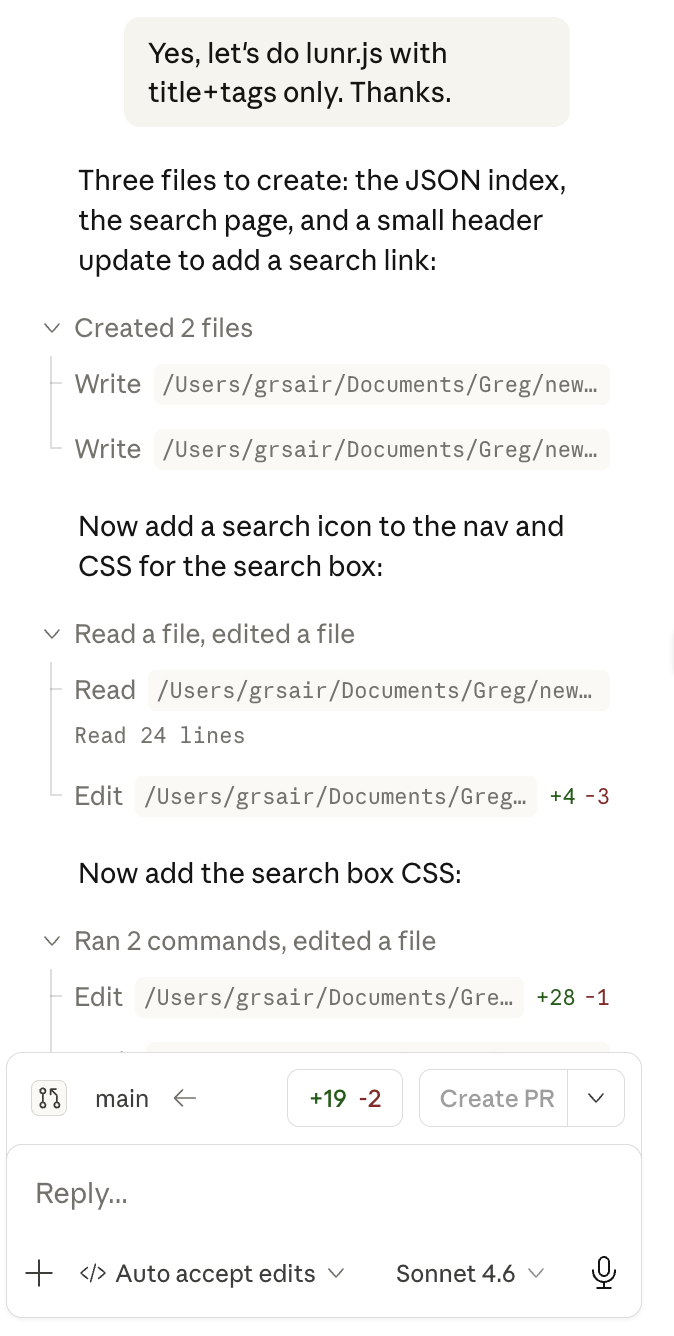
Code reuse in this space is amazing. A few of the features I’ve added include small indicators of how long it takes to read an individual blog post. This was a one-liner add. It is a built-in feature of Jekyll, the site generator tool Claude uses to create my site. I’ve also added the ability to search all of the blogs using Lunr.js. It’s a small javascript search utility. I’d never heard of Lunr.js, but Claude did. I asked for the ability to search the blog, and it laid out three different approaches. I just chose one.
If you implement a change and don’t like it, just back it out. If you want to edit the files yourself to change something but aren’t sure where to start, just ask. It can help you learn coding by explaining its approach.
It is still helpful, if not essential, to have a technical/coding background. Without it, a novice can get lost in the intricacies of git, and other classic coding tools. You can watch Claude work, using grep to search a file for a line you want to change, editing files and doing the pulls and pushes to GitHub.
If you have a technical bent, you owe it to yourself to try Claude Code. It is revolutionary. The way coding is done has changed for good.
My next blog post will be about my third book! Promise!
Enjoy! Greg
Here is claude implementing blog search.
Comments